


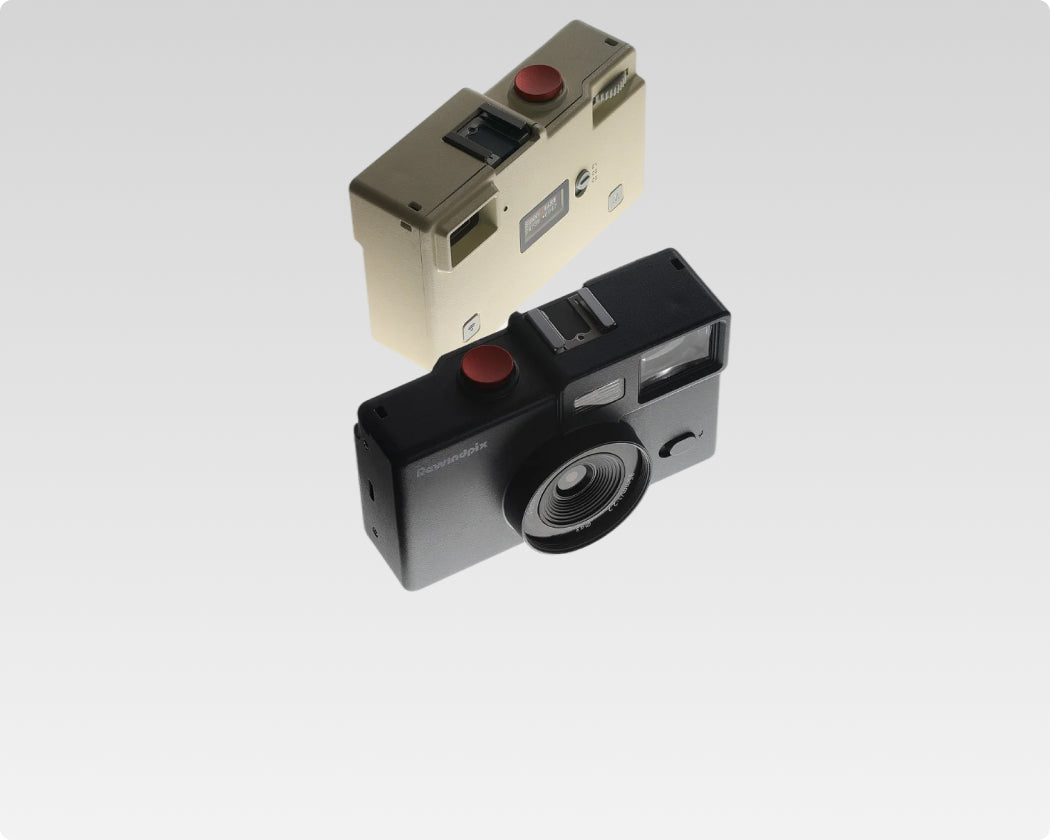

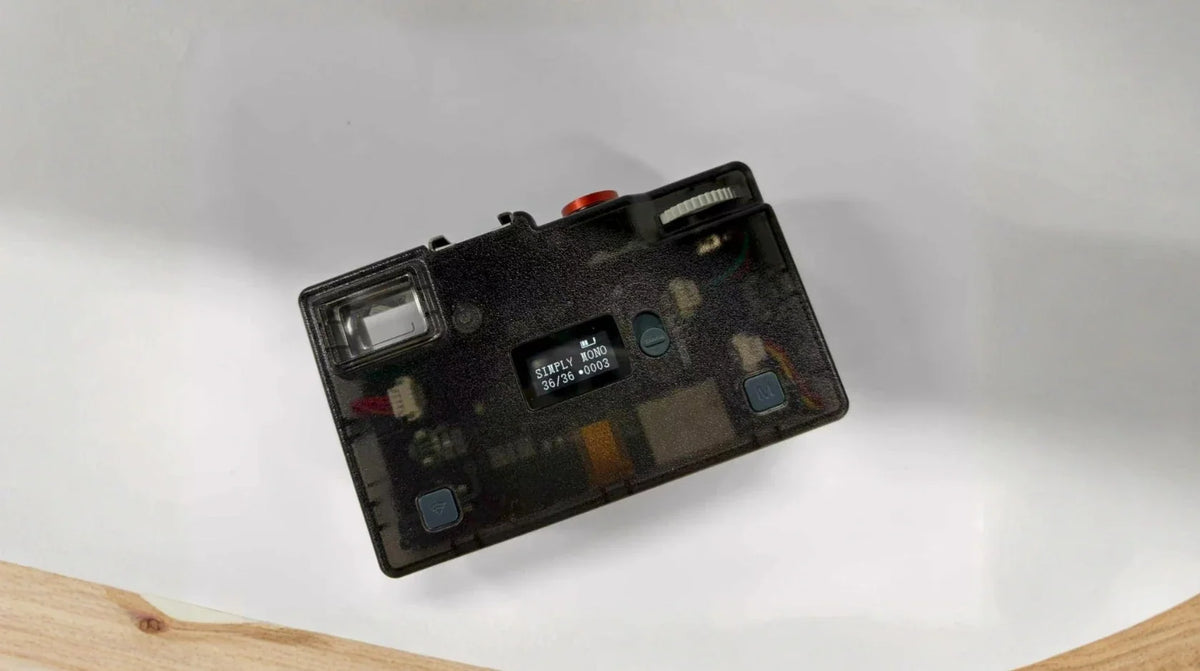
A screen-free digital camera removes one familiar part of digital photography: the rear screen used to preview and review photos. You still frame, shoot, store digital files, and check essential camera information. What changes is the rhythm. Without an image appearing after every shutter press, you rely more on the viewfinder, pay closer attention before shooting rather than immediately on the camera.
How You Frame Photos Without a Rear Preview Screen
A screen-free camera still needs a practical way to compose. On many models, that job moves from a rear live-view display to a viewfinder.
Framing Through a Viewfinder
An optical viewfinder gives you a direct view through a separate optical window. You raise the camera to your eye, place the subject inside the frame, and press the shutter. There is no processed preview showing the final colors or film look before capture.
That changes where your attention goes. Instead of moving between the scene and a rear screen, you spend more time watching the subject through the finder. This can feel especially natural for street photography, travel, friends, pets, and other scenes where expressions or movement change quickly.
The optical viewfinder design uses a 25 mm × 20 mm viewing window with frame lines for screen-free composition. The bright, spacious finder gives the scene a more open, immersive feel, closer to looking through a large window than composing on a small display. The camera also has a small monochrome status LCD for essential information rather than photo playback. This is an important distinction: screen-free usually means no rear image-review screen. It does not require removing every display from the camera.
Status Information Still Matters
Screen-free does not mean information-free. A small status display can still show essentials such as battery level, remaining frames, shooting mode, and the selected film look without providing photo playback.

How Viewfinder Parallax Affects Close-Range Framing and How to Compensate It with Practice
Because the optical viewfinder and the camera lens are positioned separately, they provide slightly different views of the same scene. This can create viewfinder parallax, which means the framing you see through the viewfinder may differ slightly from the final photo. The effect becomes more noticeable when the subject is closer to the camera.
For Rewindpix, this difference is most relevant at close shooting distances of about 1 to 3 meters. When framing a nearby subject, moving the camera slightly toward the upper left can help reduce the parallax difference between what you see through the viewfinder and what the lens captures.
This becomes easier with practice. After shooting a few subjects at different distances, you can compare the viewfinder framing with the final image and gradually learn how much correction feels natural. A visual example can also make the adjustment easier to understand, especially for first-time users.
What Changes When You Cannot Review Every Shot Immediately
Instant review makes digital photography forgiving. You can take a photo, inspect it, adjust the composition, and shoot again within seconds. Remove that option and the sequence changes.
With screenless digital cameras, the decision happens mainly before the shutter press. You look more carefully at the edges of the frame, subject position, light, and timing because there is no immediate image waiting for approval afterward.
This can also reduce repeated versions of the same scene. You may still take several frames when the subject is moving or the moment matters, but there is less temptation to stop after every shot and inspect tiny differences.
Delayed review also brings back anticipation. You remember taking the photo without immediately knowing exactly how it turned out. Later, when the images finally appear on a phone or computer, reviewing them together can make the entire shooting session feel more complete.
Over time, delayed review can also help you learn the camera more intuitively. By comparing what you remember seeing through the viewfinder with the finished photos later, you gradually become more familiar with its framing and how it captures a scene.
How Screen-Free Cameras Store and Transfer Photos
Removing a rear preview screen does not change the fact that these are digital cameras. The photos still need to be stored somewhere, then transferred to a device where you can view, save, or share them.
Common setups include SD or microSD cards for storage, with USB, wireless connections, or companion apps used to transfer and access photos. What matters is how many steps stand between taking a photo and getting the file onto your phone or computer.
Rewindpix provides two paths. In Camera Mode, photos are written directly to the SD/TF card and can be accessed through USB-C without using the app. Film Mode uses the film filter app to load selected Film Stocks and follows a 36-frame digital-roll workflow. When the roll is unloaded, the photos move into the app for viewing and saving.
The two modes also give users different ways to access their files. In Camera Mode, photos stay on the memory card for direct digital access. Film Mode sends the unloaded roll into the app, where the images can be viewed and saved to the phone.
Before buying a screen-free camera, check whether normal shooting depends on an app, what storage format it uses, and how easily the files can be transferred to the device you use most.
What to Check Before Choosing a Screen-Free Digital Camera
The missing rear preview screen is only one part of the experience. A good screen-free digital camera still needs to make framing, shooting, and file access feel straightforward. Here are the features worth checking first:
| Feature | Why It Matters |
| Viewfinder | A clear, comfortable finder makes composition easier without live view |
| Shutter response | A shorter delay helps you capture expressions, movement, and candid moments |
| Status display | Battery level, shooting mode, frame count, and other essentials should stay easy to check |
| Lens and field of view | The lens determines how much of an everyday scene fits into the frame |
| Flash | Built-in flash can expand indoor, night, party, and direct-flash shooting |
| Storage and transfer | Check how photos are stored and how easily they move to your phone or computer |
| App dependence | Some cameras shoot independently, while others rely on an app for part of the workflow |
The viewfinder and shutter response deserve extra attention because you cannot rely on instant photo review to correct every frame. A clear finder helps you compose with more confidence, while responsive capture makes it easier to catch expressions and movement at the moment you intended. Rewindpix's shutter lag field testing also shows how response time affects real-world subjects such as moving birds and people.
Storage and transfer matter just as much once the shooting session is over. Before buying, check whether normal shooting requires a phone, what type of memory card the camera uses, and whether files can be accessed through USB, an app, or both. A simple transfer process keeps the screen-free experience convenient after you put the camera down.
These features work together. A well-designed screen-free digital camera should keep framing, capture, status checks, and file access easy even without a rear preview display.

Shoot More, Check Less
A screen free digital camera makes the most sense if you enjoy staying with the scene instead of reviewing every frame as you go. Before choosing one, make sure its viewfinder, controls, storage, and transfer method fit the way you already like to shoot. Try treating one outing as a complete shooting session and save the photo review for later. You may find that waiting to see the images becomes part of what makes the camera enjoyable.
Screen-Free Digital Camera FAQs
Q1. Are Screen-Free Digital Cameras Good for Beginners?
Yes, especially for beginners who want a simple way to practice composition and timing. Fewer screen-based distractions can make it easier to concentrate on the subject, though a clear viewfinder and straightforward controls are important.
Q2. Do Screen-Free Digital Cameras Have Autofocus?
Some do, while others use fixed-focus or manual-focus systems. Screen-free describes the viewing and review experience, so autofocus capability depends on the individual camera rather than the absence of a rear screen.
Q3. Can a Screen-Free Digital Camera Work Without a Phone?
Yes, depending on the model. Some cameras save photos directly to a memory card and can transfer files through USB, while others use a phone app for part of their shooting or review workflow. Check whether the app is optional or required before buying.
Q4. Can Screenless Digital Cameras Record Video?
Some can, but screen-free cameras are often designed primarily around still photography. Video availability, resolution, audio recording, and framing methods vary widely, so check the model's specifications if video matters to you.
Q5. Can You Use Flash on a Screen-Free Digital Camera?
Yes, if the camera includes or supports a flash. The lack of a rear preview screen does not prevent flash photography, though you will usually see the result later rather than checking the exposure immediately after the shot.

Laisser un commentaire
Ce site est protégé par hCaptcha, et la Politique de confidentialité et les Conditions de service de hCaptcha s’appliquent.