



The best point and shoot camera for film look depends on more than retro styling. Film-inspired photos also come from image processing, focal length, flash, shutter response, framing, and the way the camera handles each shot. Comparing these features gives you a clearer idea of which camera fits the kind of photos you actually want to make.
Quick Takeaways
- Film simulation depth: Color, contrast, highlights, shadows, and grain should work together.
- Filter customization: Adjustable and reusable looks give you more creative freedom.
- Lens and focal length: The field of view affects how everyday scenes feel in the frame.
- Flash type: Flash can strongly shape night, party, and snapshot photography.
- Shutter response: A quick response helps with candid moments and moving subjects.
- Viewfinder design: A clear viewfinder makes fast framing easier and more natural.
- Shooting workflow: Screen review, screen-free shooting, and film-roll-style workflows create very different experiences.
Film Simulation Depth and Filter Customization
Film simulation has the biggest influence on the finished look, so start by checking how much the camera changes and how much control you have over those changes.
Film Simulation Depth
A deeper simulation system can shape color, contrast, highlights, shadows, and grain together. That combination creates a more consistent visual style across different scenes.
Preset count alone says very little. A useful system should produce clearly different looks and control more than overall color. For buyers searching for the best digital camera that looks like film, the quality and depth of the processing matter more than the number of effects listed.
Filter Customization
Customization lets you shape a preset around your own taste. Controls such as contrast, grain, vignette, exposure, and color tone can help you create a look that works across street photos, portraits, travel, or everyday snapshots. In the Rewindpix Film Filter App, users can save customized looks as Film Stocks and reuse them later. This makes it easier to build a consistent shooting style without recreating the same look for every photo.
Lens and Focal Length for Everyday Film-Style Photography
Focal length controls how wide or tight the frame feels. A wider lens includes more of the surroundings, while a longer focal length gives a closer view of the subject.
For everyday point-and-shoot photography, a moderate wide or standard field of view works well for streets, travel, friends, and casual portraits because it can keep both the subject and some of the surroundings in the frame. Adobe notes in its focal length guide that shorter focal lengths create a wider angle of view, while longer focal lengths narrow the scene and bring more attention to distant subjects. That makes focal length an important buying factor for photographers who want one compact camera for everyday use.
A fixed 35mm-equivalent lens is one example of an everyday-friendly setup. It provides a natural field of view for many common scenes and removes the extra decision of choosing a zoom position before each shot.

Flash Type and Low-Light Character
Flash can become part of the visual style of a photo. Direct flash often creates bright subjects, stronger shadows, and the casual snapshot feel associated with parties, nightlife, and many film-inspired images.
When comparing cameras, check the flash type and whether you can control when it fires. Adobe notes in its flash photography overview that xenon flash produces light at around 5500K and illuminates a scene for a very short moment, which can brighten low-light scenes, help with moving subjects, and change how shadows appear.
A Xenon Flash can therefore be useful for photographers who enjoy direct-flash portraits, indoor snapshots, and nighttime scenes. If those situations are part of the film look you want, flash type deserves attention alongside film simulation and color processing.

Shutter Response, Viewfinder, and the Point-and-Shoot Experience
Image style matters, but a point-and-shoot also needs to feel easy to use in real situations. Shutter response and framing affect how quickly you can react when something happens.
Shutter Response
Shutter lag is the delay between pressing the shutter button and the camera responding. It is different from shutter speed, which controls how long the sensor records light.
A shorter delay helps with candid photography because expressions, movement, and gestures can change in a fraction of a second. This is especially useful for street scenes, pets, friends, and family photos.
Viewfinder Design
An optical viewfinder lets you frame through a physical window instead of using a rear image display. Size, brightness, and comfort all affect how quickly you can compose a photo.
Separate optical viewfinders can also show some parallax at close distances because the lens and viewfinder see the scene from slightly different positions. This becomes easier to manage with practice and matters most when framing subjects from close range.

Screen, Screen-Free, and Film-Roll Workflows: Which Experience Fits You?
The shooting workflow affects how often you review photos, how much attention stays on the scene, and how involved the process feels. These three approaches create noticeably different habits, even when the final image style is similar.
| Workflow | What It Feels Like | Best Suited For |
| Screen-based shooting | Photos can be reviewed right after each shot | People who like checking framing and exposure immediately |
| Screen-free shooting | No photo playback while shooting, so attention stays on the scene | People who prefer fewer interruptions and a simpler shooting rhythm |
| Film-roll-style workflow | Photos are treated as part of a roll and reviewed later | People who enjoy a slower, more deliberate film-inspired process |
The main difference is how much feedback you want during shooting. Screen-based cameras give immediate confirmation, while screen-free and film-roll-style systems place more emphasis on the act of taking the photo itself.
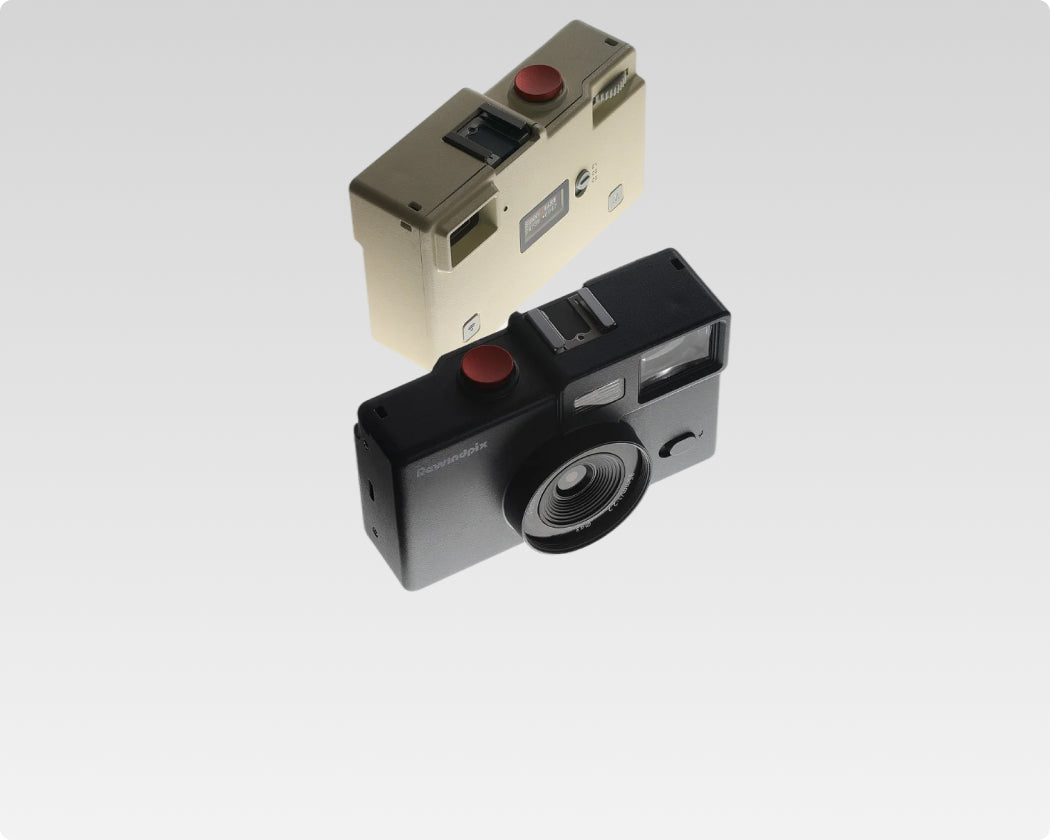
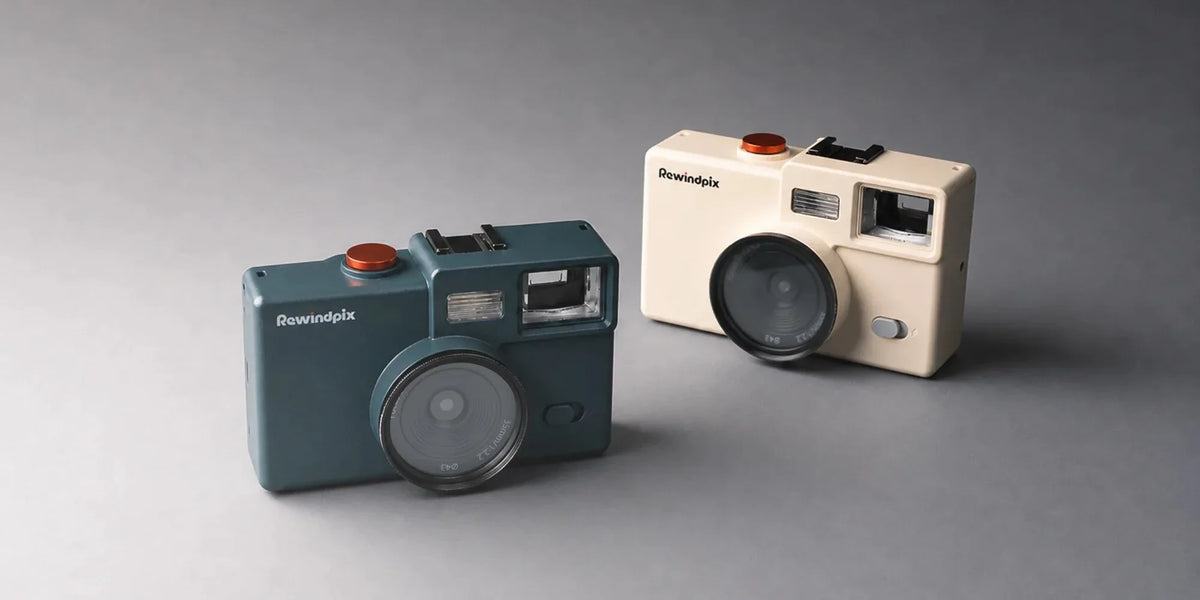
Rewindpix combines the last two approaches in its PS135 screen-free digital camera. The camera uses a small monochrome status LCD for information such as battery level, mode, and remaining shots, while photo playback stays out of the shooting process.
In Film Mode, users load selected film looks through the app and shoot a 36-frame digital roll. The roll can then be unloaded into the mobile Darkroom for viewing and saving. In Camera Mode offers a more direct digital option, with photos written to the SD/TF card, no 36-frame limit, and no app requirement for normal shooting.
This gives users more flexibility than a single fixed workflow. You can use the film-roll experience when you want a slower, more deliberate rhythm, then switch to a simpler digital mode when you want to keep shooting without the roll structure.
Compare the Features That Shape the Experience
The best point and shoot camera for film look should match both the image style you like and the way you enjoy taking photos. Film simulation depth, customization, focal length, flash, shutter response, viewfinder design, and shooting workflow all affect the result. A camera that brings several of these features together can offer more than a retro appearance. Compare the full experience, then focus on the combination that fits your everyday photography.
Film-Look Point-and-Shoot Camera Questions
Q1. What Digital Camera Gives Photos a Film Look?
Many digital cameras can create film-inspired photos through built-in simulations, custom image settings, or dedicated processing systems. The most useful option depends on the colors, grain, flash style, and shooting experience you prefer.
Q2. Can a Digital Camera Really Look Like Film?
Yes. Digital processing can reproduce many film-inspired qualities, including muted or warmer colors, softer highlights, deeper shadows, and visible grain. The result remains a digital image, but its visual style can closely follow familiar film aesthetics.
Q3. Are Point-and-Shoot Cameras Good for Beginners?
Yes. Point-and-shoot cameras usually keep the basic shooting process simple, which helps beginners focus on composition, timing, and light. Models with easy access to film looks and flash controls can also make creative experimentation more approachable.
Q4. Can You Get Film-Like JPEGs Without Editing Every Photo?
Yes. Cameras with built-in film simulations or saved custom looks can apply a consistent style while creating the JPEG. This reduces the need to adjust every image separately after shooting.
Q5. Do You Need Real Film to Get a Film Look?
No. Digital cameras can recreate film-inspired color, tone, grain, and shooting style without physical film. Real film and digital simulation use different processes, but both can create a strong and recognizable photographic character.

Leave a comment
This site is protected by hCaptcha and the hCaptcha Privacy Policy and Terms of Service apply.