



With Camera
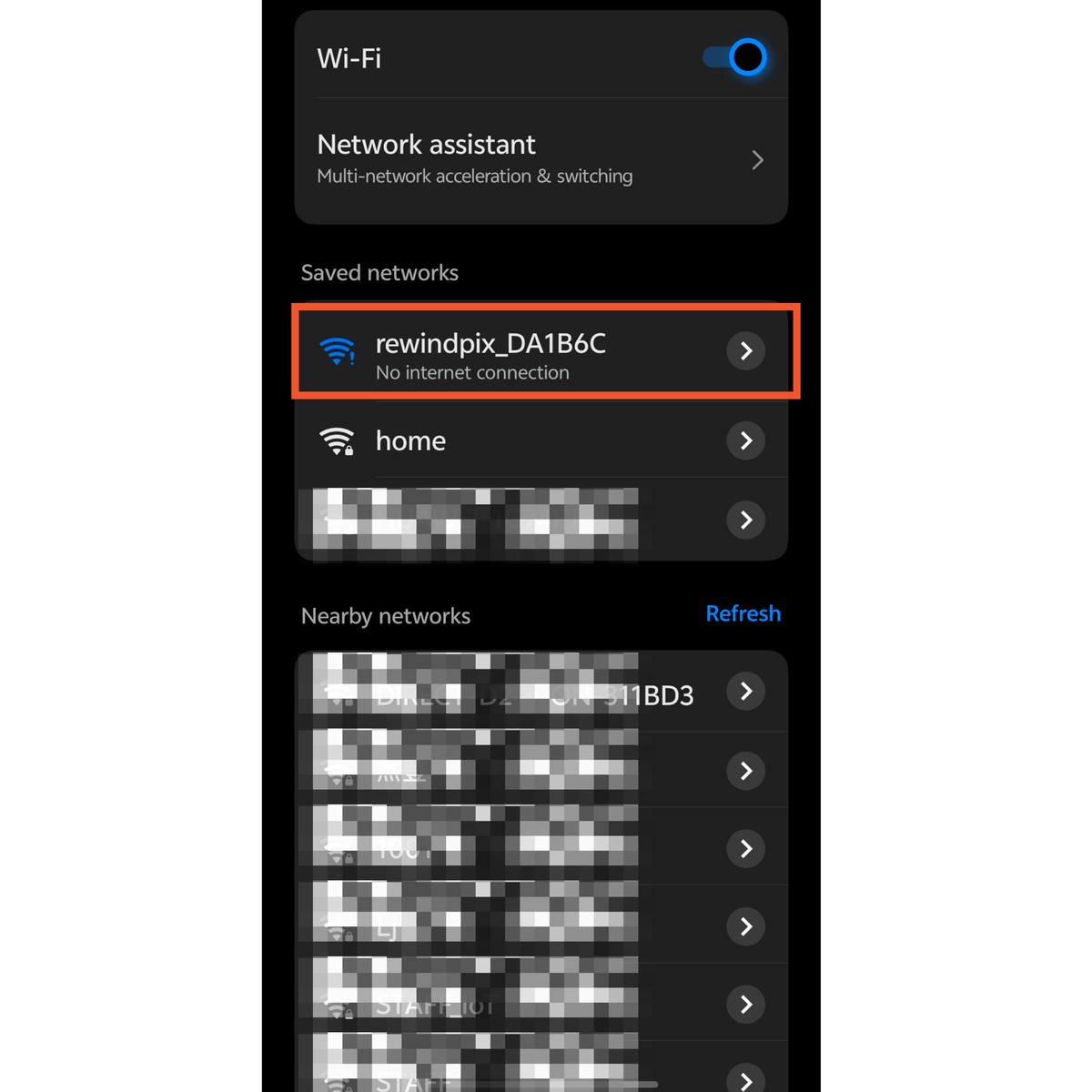
Connect to Phone WIFI
- Turned on camera WIFI (long press WIFI + M button for 3 seconds)
- Go to phone WIFI setting, and select rewindpix_XXXXX
- Once connected, “No internet connection” will show up, since the camera WIFI acts as a local WIFI hotspot.
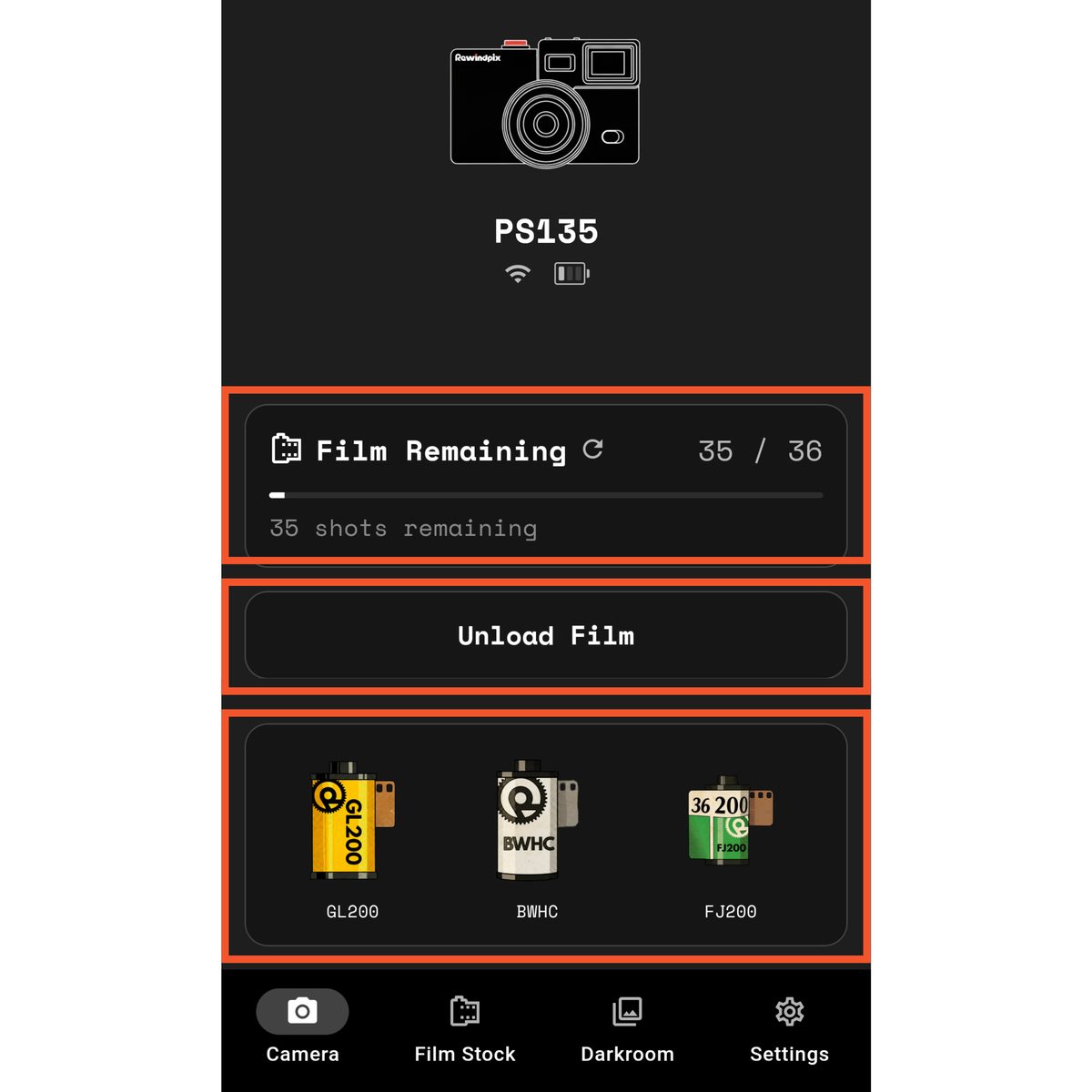
Landing Page or Camera Page
Landing page is your control panel for
unload/load film, check current selected filters
- Once connected, remaining film
count will show on top - User can unload/load film
- 3 current selected filters will
show at the bottom
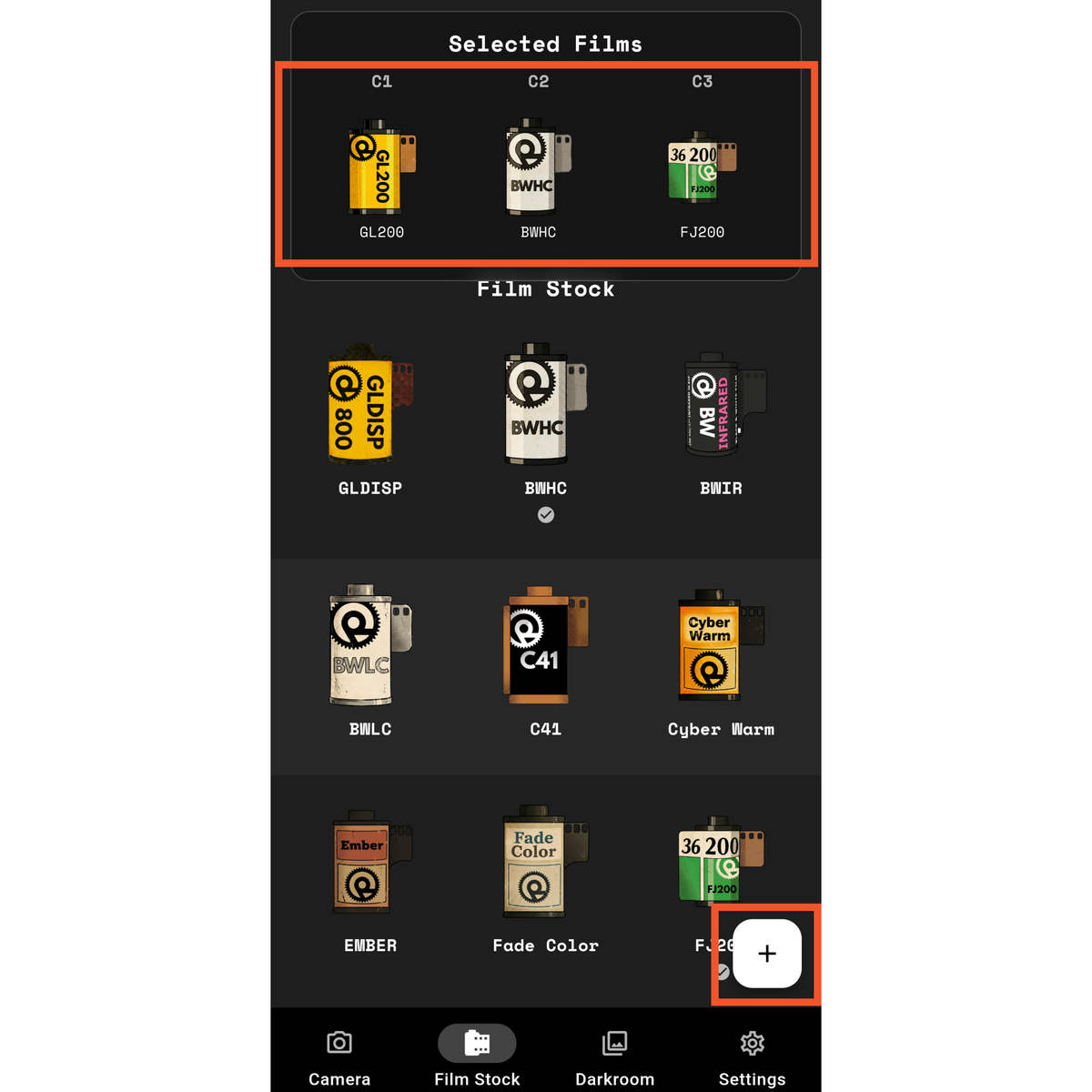
Film Stock Page
Film stock page is your film storage location,
- Selected film: Current selected 3 filters loaded in camera. C1/2/3 filter selection synced with the camera C1/2/3 sliders in camera’s “Film Mode
- Film Stock: Place to store all your films both factory pre-loaded and customs filters
- “+” sign = Phone gallery photos film simulation and custom film creation
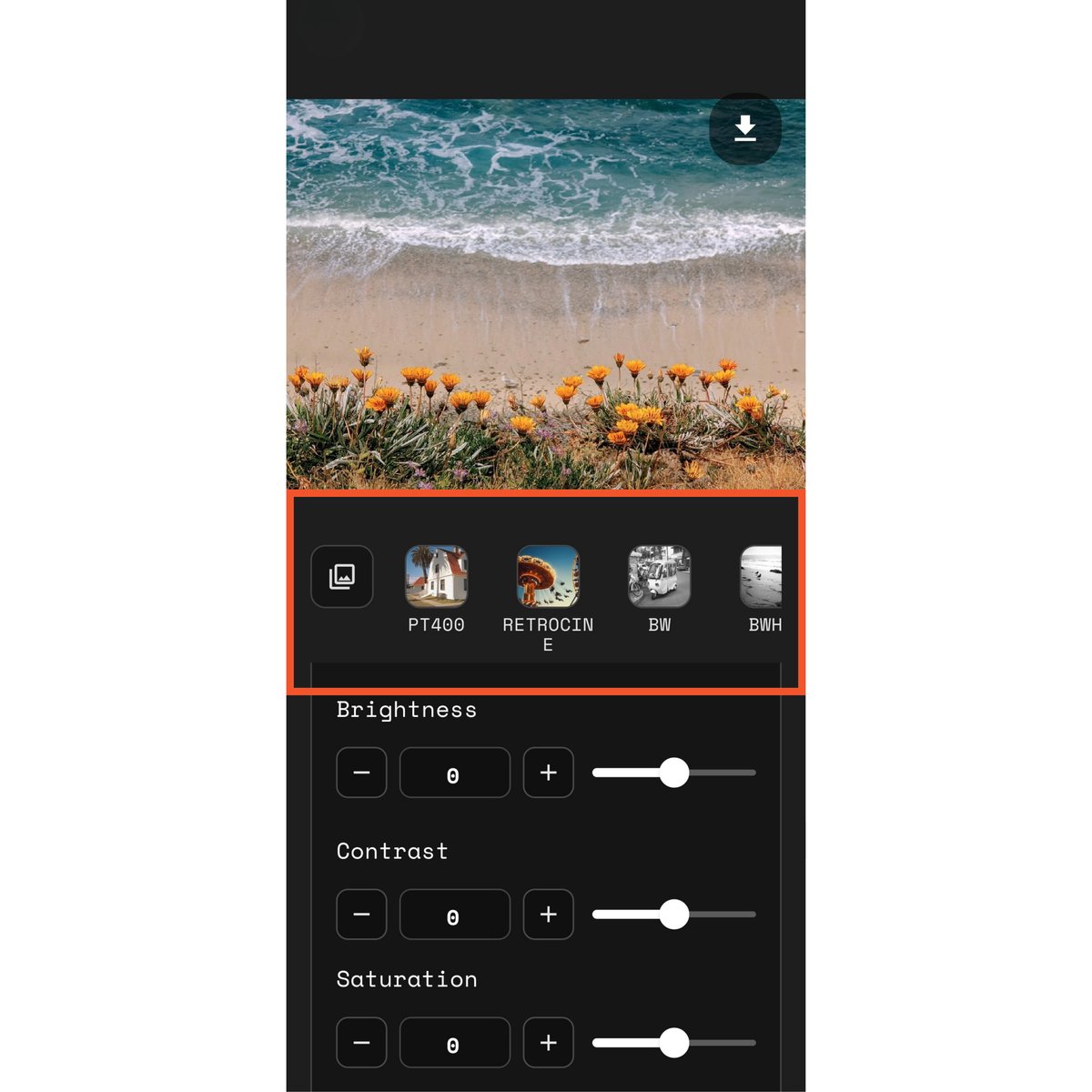
Photo / Filter Adjustment Page, a page for unleash creativity
- Select a photo from your phone gallery
- Select a base filter or a custom filter you created
- Adjust the look from various parameters.
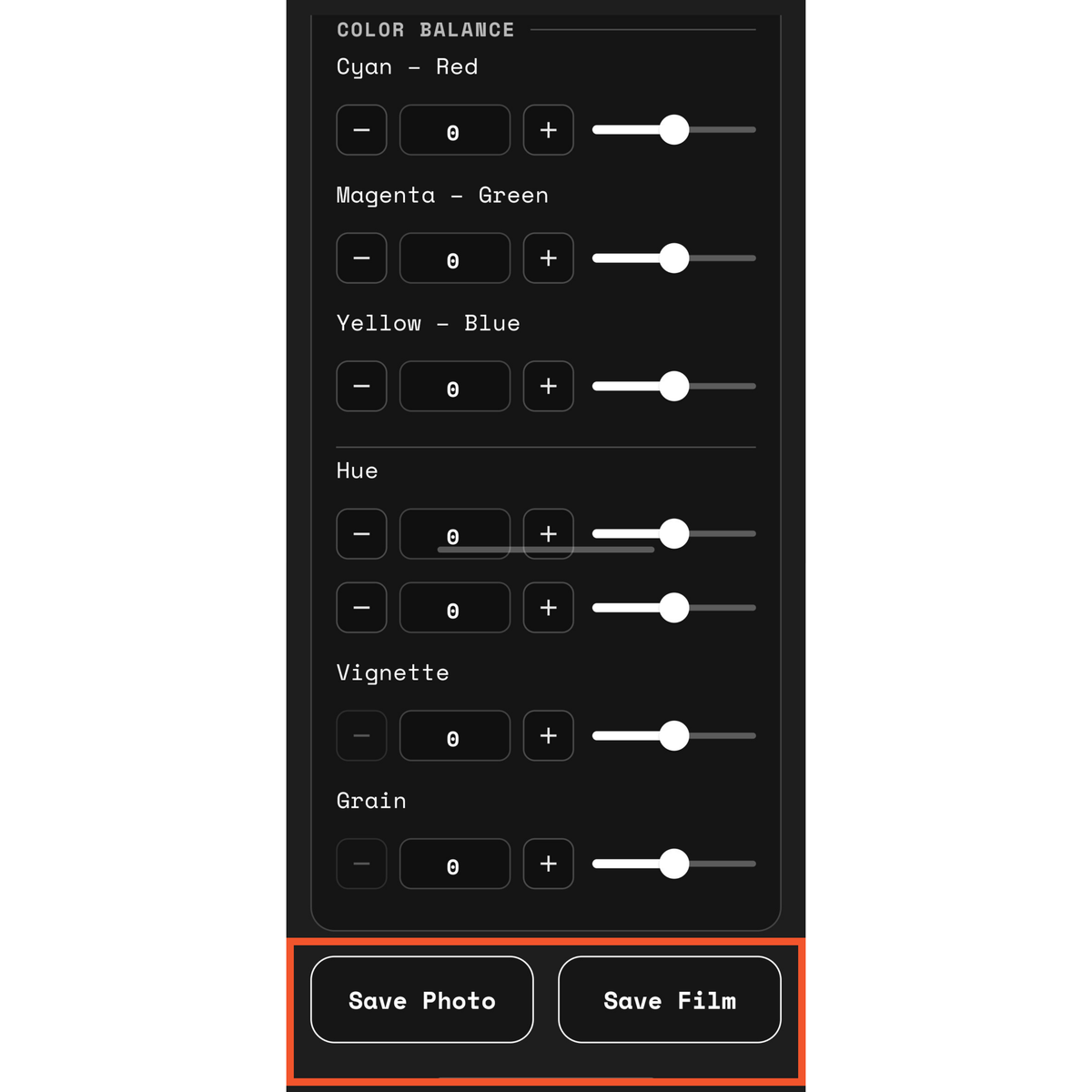
More creation possibility
- Save the photo: Use the app as
regular film simulation app as stand alone - Or save it as your custom
filter if you like it and can use for future photo adjustment (no more sliding
or typing, just 1 click away from your vibes)
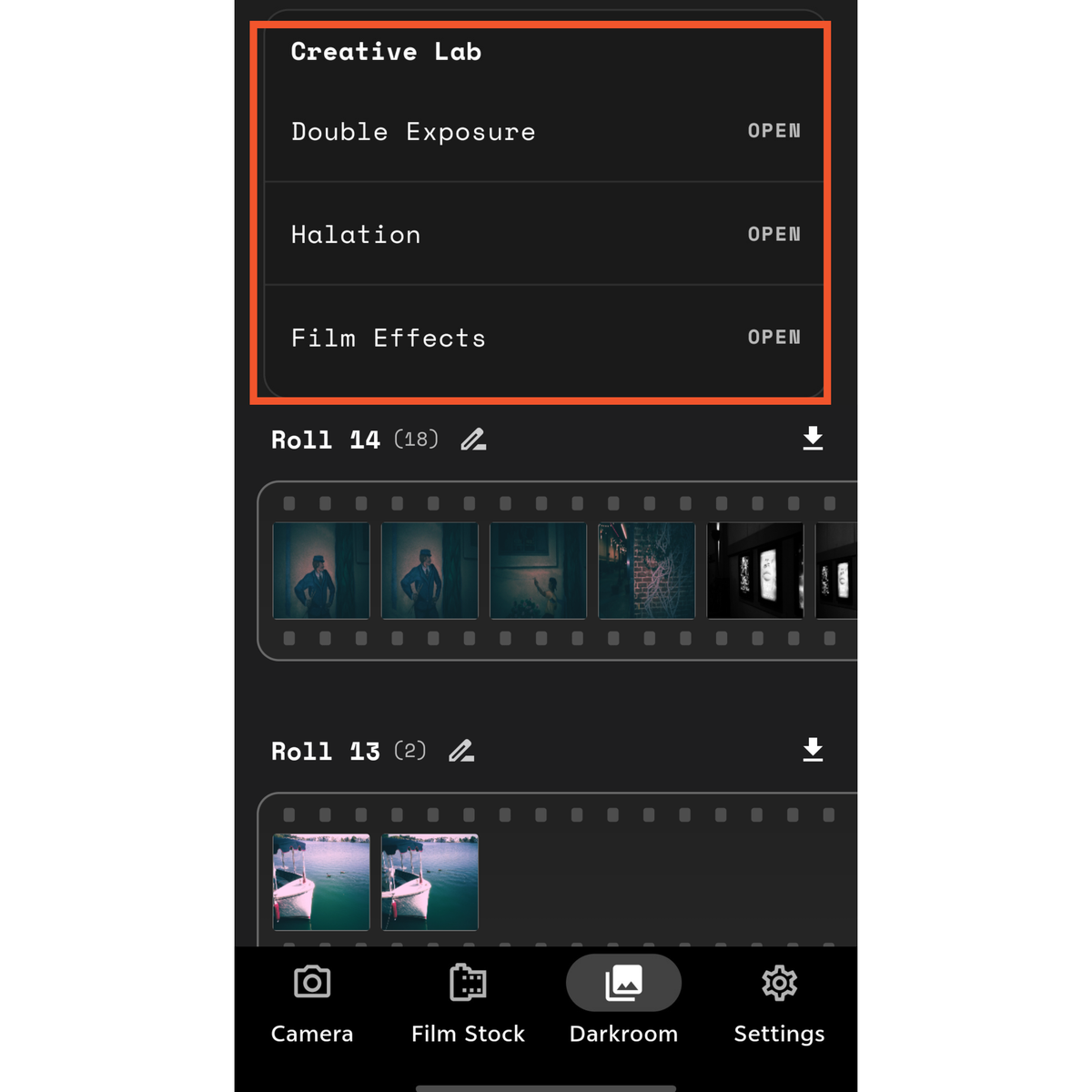
Unload film
Darkroom is a place for yourdeveloped rolls of film and another creative playground
- Creative lab contains double exposure, halation and film effects. Provides more room for your creativity and vibes
- Roll section store 3 of your latest film rolls unloaded. You can download or delete them. (Note, only provide preview, download to view full in phone gallery, “Rewindpix” folder will be created)
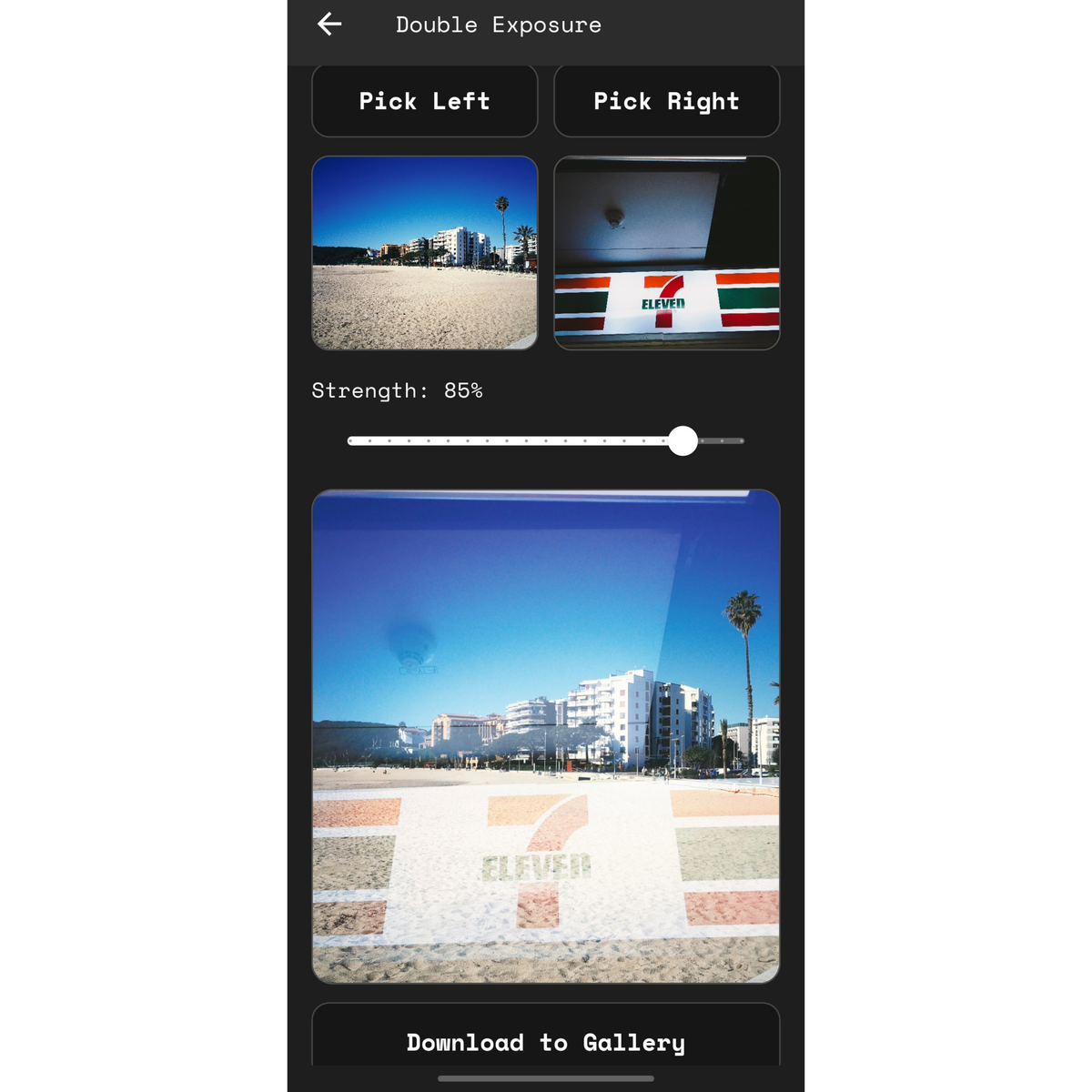
Double Exposure
1 good photo + 1 good photo > 2 good
photos?
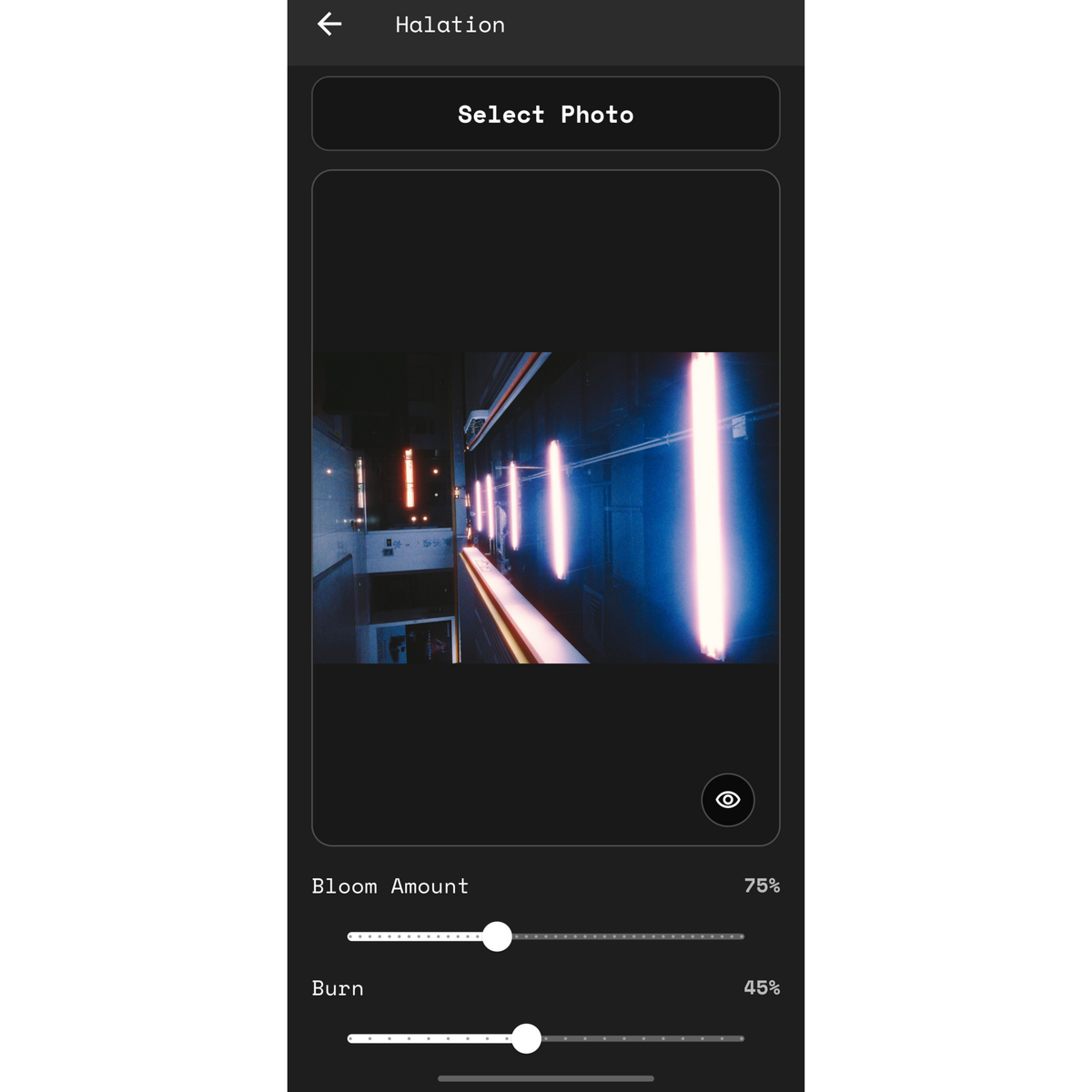
Halation
Removing the carbon anti-halation layer
creates red/orange glowing halo around bright point light sources at night, a
salute to the great film stock: Cinestill 800t
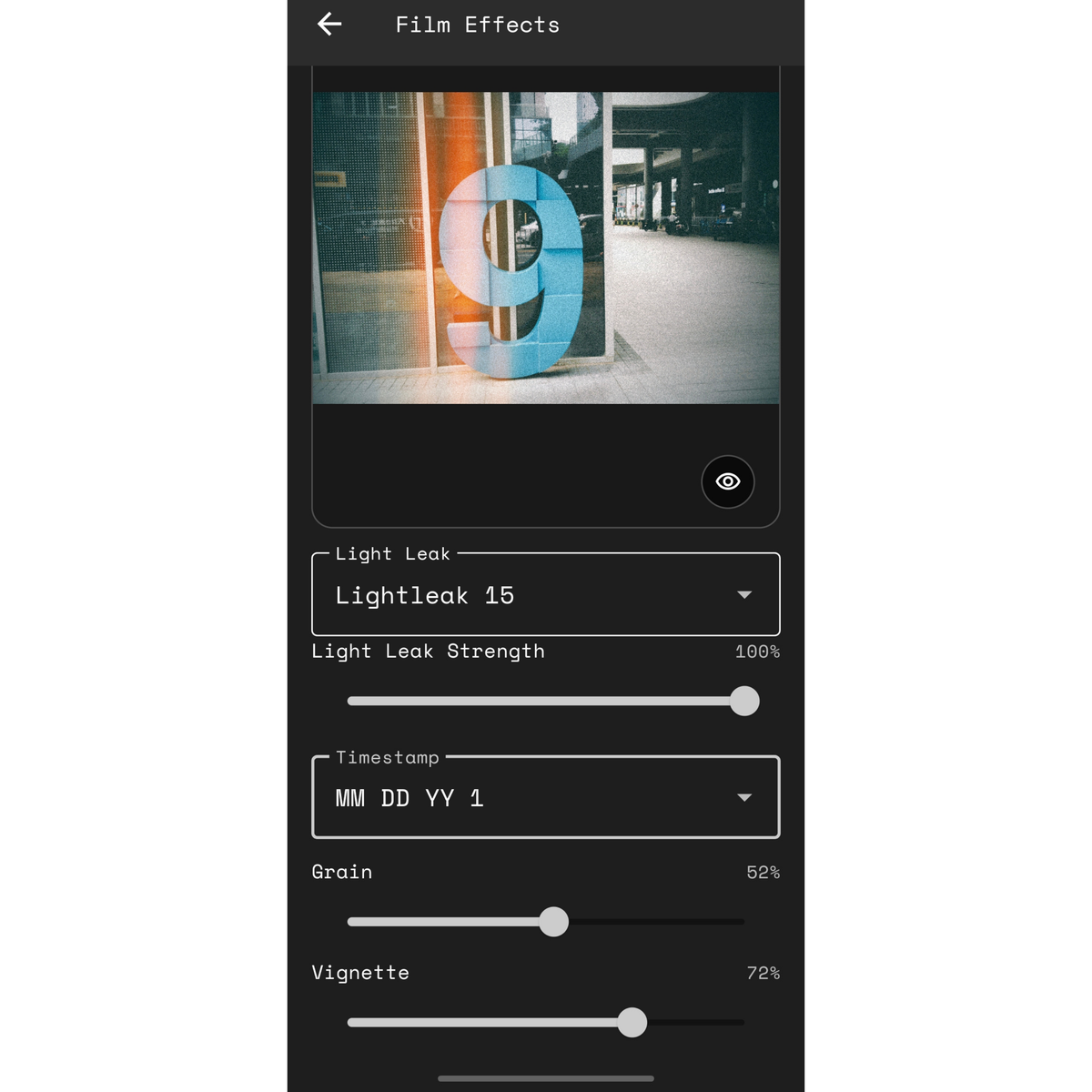
More Film Effects:
- Light leak: 20 light leaks
waiting for suit your vibes - Time Stamps: 6 different types
of time stamps with film burn simulation - Film look essentials: Grain and
vignette